
 EXIT
EXIT


 Menu
MenuA successful digital product is rarely the result of a single technology or development decision. Whether you are building a mobile application, SaaS platform, healthcare solution, business software, or AI-powered product, success depends on how different parts of the product work together.
A strong idea needs proper planning. Good planning needs user-focused design. Design needs reliable development, while development needs deployment, maintenance, marketing, and continuous optimization.
In 2026, businesses also have another major consideration: artificial intelligence. AI and agentic systems can automate tasks, support customers, assist sales teams, and create new ways for digital products to deliver value.
This guide explains the major stages of the digital product development process, from defining the product to designing, developing, launching, and improving it.
1. Start With a Clear Digital Product Strategy
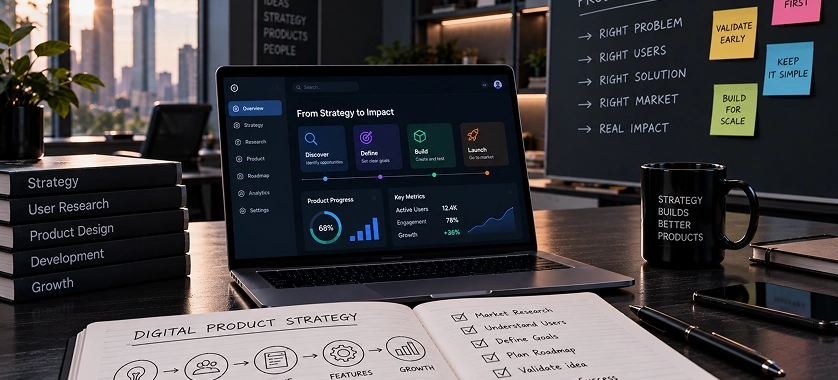
Before choosing a technology stack, designing screens, or hiring developers, you need to establish exactly what you are building and why.
Many digital products struggle not because the development is technically poor, but because the product was built around an unclear problem.
A strong digital product strategy should answer a few basic questions:
- What problem does the product solve?
- Who experiences this problem?
- What does the target user currently use instead?
- Why would someone choose your product?
- What is the core functionality?
- How will the product generate business value?
- What should the first version accomplish?
These questions help turn an idea into a practical product concept.
Identify the Target Users
The first step is understanding your users.
For example, a company developing an appointment-management platform may have several user groups:
- Customers booking appointments
- Staff managing schedules
- Managers reviewing performance
- Administrators managing the system
Each group may have different requirements.
If you try to build every possible feature for every user from the beginning, the product can quickly become complicated and expensive.
Instead, identify the primary user and the most important problem they need solved.
Define the Core Problem
A useful product starts with a specific problem rather than a long list of features.
For example, instead of saying: “We want to build an advanced business management application.”
A clearer product objective could be: “We want to help small service businesses manage bookings, customer information, payments, and staff schedules from one platform.”
The second statement gives the development team something concrete to work with. It also makes later decisions about design, functionality, and technology easier.
Prioritize the MVP
The first release does not necessarily need every feature you have imagined.
An MVP (Minimum Viable Product) should contain the functionality necessary to solve the core problem and allow you to collect feedback from real users.
For example, an ecommerce platform might initially require:
- Product catalog
- Product search
- Shopping cart
- Checkout
- Customer accounts
- Order management
Advanced recommendation engines, complex loyalty programs, AI assistants, and other features can potentially come later.
This approach allows businesses to validate the product before investing heavily in additional functionality.
Choose Technology Based on Product Requirements
Technology should support the product rather than determine the product strategy.
Your technology decisions may depend on:
- Expected number of users
- Required performance
- Security requirements
- Platform requirements
- Integration needs
- Development timeline
- Maintenance requirements
- Budget
- Future scalability
For example, a mobile product may require native or cross-platform development depending on its functionality and business requirements.
Cross-platform technologies can be useful when a business wants to develop applications for multiple platforms while sharing a significant portion of the codebase.
For projects where Ionic is appropriate, businesses can explore Ionic development services as one possible development approach.
The important point is that the technology choice should come after understanding the product requirements, not before.
2. Design the User Experience Before Building the Product
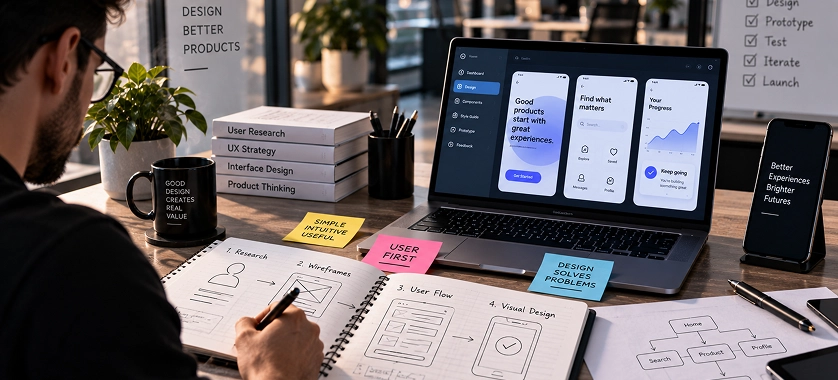
Once the product strategy is clear, the next major stage is UX and UI design.
A technically impressive application can still fail if users cannot understand how to use it.
UX focuses on how the product works and how users move through it. UI focuses more on the visual interface, including layouts, typography, components, imagery, and visual hierarchy.
Both need to work together.
Begin With User Flows
Before designing individual screens, map out the major user journeys.
For example, a food-ordering application might have a flow such as:
Open app → Search restaurant → Select food → Add to cart → Checkout → Payment → Order tracking
Each step should have a clear purpose.
User flows help identify unnecessary steps and potential points of friction before development begins.
Create Wireframes
Wireframes provide a basic representation of the interface.
At this stage, the focus should be on:
- Information hierarchy
- Navigation
- Content placement
- Buttons and actions
- Forms
- User journeys
You do not necessarily need detailed visual styling at this point.
The purpose is to determine whether the structure makes sense before spending time on visual design.
Develop the UI Design
After the user experience has been established, the visual interface can be developed.
A professional UI should provide consistency across the product.
Important elements include:
- Typography
- Colors
- Buttons
- Forms
- Cards
- Navigation
- Icons
- Spacing
- Responsive layouts
The design should also reflect the type of product and its target audience.
A healthcare application, for example, may require a very different visual and usability approach from an entertainment application.
Businesses developing products for healthcare organizations can explore healthcare design services when industry-specific design requirements are involved.
Use Visual Content Strategically
Some digital products also need visual assets to explain complex information.
Infographics can simplify complicated data, processes, statistics, or concepts.
For example, a SaaS company could use an infographic to explain:
Problem → Product → Process → Result
This can make information easier to understand than presenting the same content as several paragraphs.
You can explore infographic design services when visual communication is an important part of the product's content strategy.
Motion can also contribute to digital experiences when used appropriately.
Animations, transitions, and motion graphics can help demonstrate product functionality, explain concepts, or make certain experiences more engaging.
However, motion should have a purpose. Excessive animation can make an interface slower or harder to use.
For product demonstrations and visual communication, motion graphics services can be considered as part of the broader design strategy.
3. Select the Right Development Approach

After the product requirements and user experience have been defined, development can begin.
This stage transforms the product concept and design into a working application or software system.
The development approach depends heavily on what you are building.
Mobile App Development
Mobile applications can be developed using different approaches depending on the product’s requirements.
Businesses may choose native development when platform-specific performance or functionality is particularly important.
Cross-platform development can be useful when the product needs to support multiple mobile platforms while maintaining development efficiency.
For example, organizations evaluating existing cross-platform technologies may consider Xamarin development services based on their specific project requirements.
The correct choice should be determined by the project’s current technology requirements and long-term maintenance considerations rather than simply selecting the most popular framework.
Build Around the Core Functionality
Development should remain aligned with the MVP and product strategy.
For each feature, ask:
Does this feature solve an important user problem?
If the answer is no, it may belong in a later development phase.
This helps control scope and allows the development team to concentrate on functionality that directly contributes to the product’s initial objective.
4. Build, Test, and Deploy the Product
Once the product strategy, user flows, and interface have been defined, development moves from planning into implementation.
At this stage, developers build the application’s frontend, backend, databases, APIs, integrations, and other technical components required for the product to function.
However, writing the code is only one part of the process. A successful digital product also needs proper testing, deployment, monitoring, and ongoing maintenance.
Develop the Frontend and Backend
The frontend is the part of the product users interact with directly. It includes screens, navigation, forms, dashboards, buttons, and other interface elements.
The backend handles the functionality behind the interface, such as:
- Business logic
- Databases
- Authentication
- APIs
- Payment processing
- User permissions
- Third-party integrations
- Data processing
Both sides need to work together reliably.
For example, when a customer submits an order, the frontend may send the request to the backend. The backend processes the order, updates the database, communicates with payment or inventory systems, and returns the appropriate response to the user.
This interaction needs to be tested across different scenarios before the product is launched.
Test Before Launch
Testing should happen throughout development rather than only immediately before launch.
Depending on the product, testing may include:
- Functional testing
- Usability testing
- Performance testing
- Security testing
- Compatibility testing
- API testing
- Mobile and browser testing
- User acceptance testing
The goal is not simply to find technical bugs. Testing should also determine whether the product actually works as intended from the user’s perspective.
A checkout process, for example, might technically function but still contain unnecessary steps that cause users to abandon their purchase.
Use DevOps for Reliable Delivery
As digital products become more complex, development and deployment also require a structured process.
DevOps brings development and operations practices together to improve how software is built, tested, deployed, and maintained.
A DevOps workflow can involve:
code → build → test → deploy → monitor → improve.
Automation can reduce repetitive manual work and make software delivery more consistent.
For businesses with complex software environments, DevOps services can be part of a broader strategy for managing development and deployment processes.
The exact DevOps setup depends on the product architecture, cloud environment, team structure, security requirements, and deployment model.
Monitor the Product After Deployment
Launching the product does not mean development is finished.
Once real users start interacting with the system, businesses can discover issues that were not obvious during development.
Monitoring can help teams identify:
- Application errors
- Slow response times
- Server issues
- Failed transactions
- Unusual traffic
- Integration failures
- Availability problems
Analytics can provide another layer of insight by showing how users interact with the product.
For example, if many users reach a registration page but leave before completing the process, the business has a reason to investigate that journey.
This creates a continuous improvement cycle:
Launch → Measure → Identify Problems → Improve → Test Again.
5. Add AI and Agentic AI Where It Creates Real Value
Artificial intelligence has become an important consideration when developing digital products in 2026.
But adding AI simply because it is popular does not automatically make a product better.
The better approach is to identify repetitive, data-heavy, or decision-support tasks where AI can provide measurable value.
Start With a Specific AI Use Case
AI can potentially be used for:
- Customer support
- Content generation
- Data analysis
- Recommendations
- Document processing
- Lead qualification
- Workflow automation
- Internal knowledge search
- Sales assistance
The use case should determine the technology.
For example, an ecommerce business may benefit from an AI shopping assistant that helps customers find products. A B2B company may instead benefit from AI-assisted lead qualification.
Understand Agentic AI
Traditional AI applications often respond to individual prompts or perform specific tasks.
Agentic AI goes further by allowing AI systems to work through multi-step tasks based on defined goals, tools, context, and instructions.
For example, an AI agent for a sales workflow could potentially:
Receive a lead → Analyze the lead → Gather relevant information → Determine the next action → Update a system → Notify the sales team
The exact capabilities depend on how the system is designed and what tools and permissions it has.
Businesses exploring this approach can learn more about agentic AI solutions.
AI Should Support the Product, Not Distract From It
One common mistake is putting an AI chatbot into an application without identifying what the chatbot actually improves.
Instead, ask:
- What task is AI performing?
- What information does it need?
- What tools can it access?
- What actions is it allowed to take?
- When should a human take over?
- How will its performance be evaluated?
These questions are particularly important when AI is allowed to take actions rather than simply generate text.
Use AI Sales Assistants for Sales Workflows
Sales teams often spend significant time on repetitive activities such as researching prospects, organizing information, following up, and answering routine questions.
An AI sales assistant can potentially support parts of these workflows.
For example:
Lead arrives → Information is analyzed → Lead is categorized → Relevant information is prepared → Sales representative receives assistance
This can help sales teams spend more time on higher-value conversations instead of repetitive administrative tasks.
Businesses interested in this use case can explore AI sales assistants as part of an AI-driven sales strategy.
However, AI should not automatically be given unrestricted access to customer data or business systems. Permissions, validation, monitoring, and human oversight should be considered when designing AI-powered workflows.
6. Design for Scalability, Security, and Maintainability

A digital product may work perfectly with its first few hundred users but encounter problems when usage increases.
That is why scalability should be considered during architecture and development rather than treated as an emergency after the product grows.
Plan for Growth
Scalability can involve several areas:
- Database performance
- Server capacity
- API performance
- Storage
- Caching
- Traffic management
- Infrastructure
- Application architecture
The right solution depends on the product.
A small internal business application does not necessarily need the same architecture as a globally used SaaS platform.
The goal is to build an architecture appropriate for the expected requirements rather than overengineering the first version.
Protect User and Business Data
Security should also be considered throughout development.
Depending on the product, important areas can include:
- Authentication
- Authorization
- Encryption
- Secure APIs
- Access controls
- Data protection
- Dependency management
- Security testing
- Monitoring
Security is particularly important when the application handles financial information, customer records, healthcare information, business documents, or other sensitive data.
Build for Long-Term Maintenance
A product should be maintainable after its initial launch.
Clean architecture, documentation, testing, version control, monitoring, and a structured deployment process can make future changes easier.
This becomes particularly important when the product needs to integrate new technologies.
For example, an application launched today may later require:
- New payment providers
- Additional mobile platforms
- AI capabilities
- New APIs
- New reporting features
- Additional user roles
- New markets
A maintainable architecture makes these changes easier to manage.
7. Make Your Digital Product Discoverable With SEO
Building a useful digital product is only part of the challenge. People also need to be able to find it.
Search engine optimization can help businesses increase the visibility of their website, product pages, landing pages, and other online resources. SEO should therefore be considered alongside product development and marketing rather than added as an afterthought.
For a digital product, SEO can involve several areas:
- Keyword and search intent research
- Website architecture
- On-page optimization
- Technical SEO
- Content development
- Internal linking
- Digital PR and link acquisition
- Conversion optimization
The exact strategy depends on the business, industry, competition, audience, and type of product.
Start With Search Intent
Before creating content, understand what potential customers are actually searching for.
Someone searching for “what is an AI sales assistant” has a different intent from someone searching for “AI sales assistant for SaaS companies.”
The first may be looking for information, while the second may be evaluating solutions.
Understanding this difference helps businesses create the appropriate page or content for each stage of the customer journey.
Build a Logical Website Structure
A clear website structure helps users and search engines understand the relationship between different pages.
For example, a software company could organize content around:
Software Development → App Development → Specific Development Services
and:
Digital Marketing → SEO → Specific SEO Services
The same principle can apply to AI:
AI Solutions → Agentic AI → Specific AI Applications
This creates stronger topical relationships between related pages.
Internal links should also be meaningful. A link should help the reader move to another resource that genuinely expands on the current topic.
Create Content Around the Product
A product website should not rely exclusively on service or product pages.
Supporting content can answer questions potential customers have before making a decision.
For example, an AI development company could publish content covering:
- How AI agents work
- AI automation use cases
- AI implementation considerations
- AI vs traditional automation
- How businesses can evaluate AI solutions
This type of content can attract users earlier in the decision-making process and eventually guide them toward relevant commercial pages.
Build Authority Beyond Your Website
Publishing content on your own website is only one part of an SEO strategy.
External signals can also contribute to a website’s overall search visibility.
This can include activities such as:
- Digital PR
- Relevant editorial mentions
- Industry publications
- Resource placements
- Expert contributions
- Relevant partnerships
The focus should be on quality and relevance, rather than simply accumulating a large number of backlinks.
For businesses looking to strengthen their external SEO efforts, off-page SEO services can be incorporated into a broader search strategy.
The right approach depends on the site's competition, authority, content quality, search intent, and the relevance of referring websites.
8. Optimize the Product for Conversions
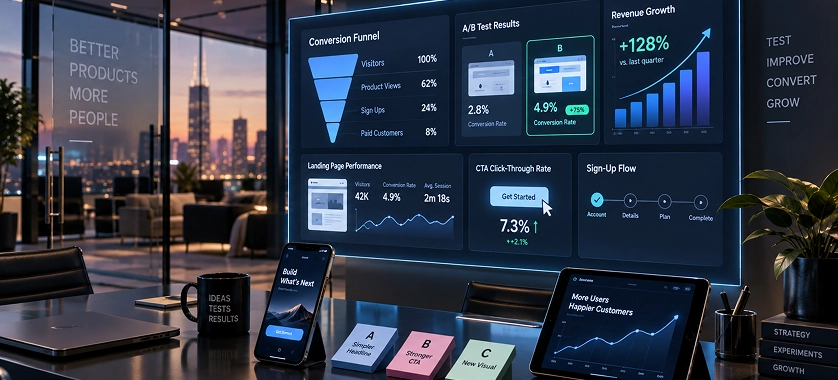
Getting visitors to a website does not automatically produce customers.
The next question is:
What happens after someone arrives?
This is where conversion rate optimization, or CRO, becomes important.
CRO focuses on improving the percentage of visitors who complete a desired action.
Depending on the business, that action could be:
- Requesting a quote
- Booking a consultation
- Starting a free trial
- Purchasing a product
- Submitting a form
- Signing up for an account
- Contacting sales
Make the Value Proposition Clear
When someone lands on a product page, they should quickly understand:
- What is this?
- Who is it for?
- What problem does it solve?
- Why should I consider it?
A complicated headline or vague value proposition can make visitors leave before they explore the rest of the page.
For example, instead of relying on generic statements such as "Innovative Digital Solutions," a product page should communicate its specific value in language that matches the target audience.
Reduce Unnecessary Friction
Every additional step in a conversion process can potentially create another opportunity for users to leave.
Review areas such as:
- Form length
- Number of checkout steps
- Navigation
- Page speed
- Mobile usability
- Calls to action
- Required information
- Error messages
If a form requires information that is not necessary at the initial stage, reducing the number of fields may make the process easier.
However, changes should ideally be based on actual user behavior or testing rather than assumptions.
Use Clear Calls to Action
A call to action should tell users what they can do next.
Examples include:
- Request a Consultation
- Get a Quote
- Start a Free Trial
- Book a Demo
The appropriate CTA depends on the product and the user's stage in the buying journey.
A visitor reading an educational article may not be ready to purchase immediately. A visitor on a pricing page may require a much stronger commercial CTA.
Test Instead of Guessing
CRO works best as an ongoing process.
Businesses can analyze:
- Conversion rates
- Bounce or engagement patterns
- Form completion
- User journeys
- Landing-page performance
- Device-specific behavior
They can then create hypotheses and test changes.
For example:
- Observation: Many users visit the pricing page but do not contact sales.
- Hypothesis: The pricing page does not provide enough information to move users forward.
- Test: Improve the pricing explanation, FAQs, trust signals, or CTA structure.
- Result: Compare the relevant performance data before deciding whether the change helped.
This makes optimization more evidence-driven.
Businesses interested in this process can explore conversion rate optimization services.
9. Use Visual Content to Support Marketing and Product Communication
Digital products often need more than functional pages and written content.
Visual communication can make complex products easier to understand and can support marketing across websites, presentations, campaigns, and social platforms.
Explain Complex Information Visually
Some products involve complicated processes that are difficult to explain through text alone.
For example, a software company could visually explain:
Customer Problem → Software Solution → Automated Workflow → Business Outcome
An infographic can make this process easier to scan and understand.
This is particularly useful when explaining technical products to non-technical decision-makers.
Demonstrate the Product With Motion
Motion graphics can also help explain products and services.
A short animation could demonstrate how:
- A customer submits a request.
- The system processes the information.
- An AI agent performs a task.
- The result is delivered to the customer.
Instead of asking users to understand a complicated technical explanation, the business can show the workflow visually.
The key is to use visuals where they improve comprehension or engagement, not simply because they look impressive.
Maintain Consistency Across Channels
Your website, product interface, advertisements, presentations, social content, and other marketing materials should communicate a consistent brand.
This means maintaining consistency in:
- Typography
- Logo usage
- Visual style
- Messaging
- Design elements
- Tone
- Product positioning
A consistent visual identity can make it easier for users to recognize the business across different touchpoints.
10. Connect Development, SEO, and CRO Into One Growth System

The biggest opportunity comes from treating product development, marketing, and optimization as connected activities rather than separate departments.
Consider a simplified customer journey:
Search → Website → Landing Page → Product Information → Conversion → Product Experience → Retention
Each stage affects the next.
SEO can bring relevant visitors.
Good UX can help those visitors understand the product.
Strong development can deliver the promised functionality.
CRO can make the conversion process easier.
AI can automate selected workflows.
Analytics can reveal what is working and what needs improvement.
This creates a continuous growth cycle rather than a one-time development project.
11. Launch the Digital Product Strategically
After development, testing, SEO preparation, and conversion planning, the next step is launching the product.
A launch should not simply mean making the product publicly available. It should be treated as a controlled transition from development to real-world usage.
Before launch, review the product from both technical and business perspectives.
Pre-Launch Checklist
Make sure the following areas have been reviewed:
- Core features work as expected
- Forms and integrations are functioning
- Authentication and permissions are tested
- Mobile and desktop experiences have been checked
- Important pages are accessible
- Analytics and tracking are configured
- SEO fundamentals are in place
- Error monitoring is active
- Backup and recovery procedures are considered
- Customer support processes are ready
For an application, the launch process may also include deployment configuration, database preparation, app-store requirements, server setup, and production testing.
Consider a Controlled Launch
Not every product needs to be released to everyone immediately.
Depending on the product, a business may start with:
- Internal testing
- A limited beta
- Selected customers
- A specific geographic market
- A small user segment
This can provide valuable feedback before a broader release.
A controlled launch is particularly useful for products with complex workflows or significant operational dependencies.
12. Measure What Happens After Launch
Once users start interacting with the product, assumptions can be replaced with actual data.
Analytics can help answer questions such as:
- Where are users coming from?
- Which pages receive the most traffic?
- Which features are being used?
- Where do users leave?
- How many visitors convert?
- Which acquisition channels generate customers?
- Which workflows create friction?
The specific metrics should depend on the product's business model.
For a SaaS product, useful metrics may include sign-ups, activation, trial-to-paid conversion, retention, and usage.
For an ecommerce business, metrics may include product-page engagement, add-to-cart activity, checkout completion, and purchases.
For a lead-generation website, form submissions, qualified leads, and conversion rates may be more relevant.
The important principle is to measure business outcomes and meaningful user behavior, rather than collecting numbers simply because they are available.
13. Continuously Improve the Product
A digital product should be treated as an evolving system.
After launch, users may request new functionality, encounter usability problems, or reveal needs that were not obvious during the planning stage.
At the same time, technology, competitors, customer expectations, and business requirements can change.
A continuous improvement process can look like:
Collect Data → Identify Opportunity → Prioritize → Implement → Test → Measure
Prioritize Improvements
Not every requested feature deserves immediate development.
A useful way to prioritize changes is to consider:
User impact + Business value + Effort + Risk
For example, fixing a checkout problem affecting a large percentage of users may be more important than adding a minor visual feature requested by a small number of users.
This helps development teams focus limited resources on changes that can make a meaningful difference.
Keep AI Systems Under Review
AI-powered features require their own form of ongoing evaluation.
An AI feature should be monitored for factors such as:
- Accuracy
- Reliability
- Response quality
- Cost
- User satisfaction
- Failure cases
- Appropriate use of tools and permissions
For agentic AI systems, monitoring becomes even more important because an agent may perform multiple steps or interact with external systems.
Businesses should define what the AI is allowed to do and when human intervention is required.
14. Build a Digital Product Development Roadmap
A clear roadmap can help turn a large digital product idea into manageable stages.
A simplified roadmap could look like this:
Stage 1: Discovery
Define:
- Business objectives
- Target users
- Core problem
- Product requirements
- MVP scope
Stage 2: UX/UI Design
Create:
- User journeys
- Wireframes
- Interface designs
- Design system
- Interactive prototypes
Stage 3: Development
Build:
- Frontend
- Backend
- Database
- APIs
- Integrations
- Core functionality
Stage 4: Testing & Deployment
Complete:
- Functional testing
- Security checks
- Performance testing
- Deployment
- Monitoring
Stage 5: AI & Automation
Where appropriate, introduce:
- AI assistants
- AI-powered workflows
- Recommendations
- Automation
- Agentic AI systems
Stage 6: Growth
Focus on:
- SEO
- Content
- Off-page SEO
- CRO
- Analytics
- Conversion optimization
Stage 7: Continuous Improvement
Use real-world data to:
- Fix problems
- Improve UX
- Add valuable features
- Optimize conversions
- Improve performance
- Expand the product
This roadmap provides a practical structure without assuming that every product requires exactly the same technologies or processes.
Digital Product Development Checklist
Before considering a digital product ready for long-term growth, review the following checklist:
Strategy
- Target users are clearly defined
- The core problem is understood
- Product objectives are documented
- MVP scope is prioritized
Design
- User journeys have been mapped
- UX has been reviewed
- UI is consistent
- Mobile responsiveness has been considered
- Accessibility and usability have been reviewed
Development
- Frontend and backend requirements are defined
- APIs and integrations are tested
- Database architecture is appropriate
- Authentication and permissions are implemented
Testing & Deployment
- Core functionality has been tested
- Performance has been evaluated
- Security has been considered
- Deployment process is established
- Monitoring is available
AI
- AI use cases have a clear purpose
- Data access is controlled
- AI outputs can be evaluated
- Human oversight is considered for important actions
Growth
- SEO strategy is established
- Important pages are optimized
- Supporting content is planned
- Conversion paths are clear
- Analytics are tracking meaningful actions
Improvement
- User feedback is collected
- Product performance is measured
- Improvements are prioritized
- New features are evaluated based on value
Conclusion
Building a successful digital product in 2026 requires more than developing an application or launching a website.
The process starts with understanding a genuine user problem and defining a clear product strategy. From there, businesses need to create an intuitive user experience, select an appropriate development approach, test the product thoroughly, and establish reliable deployment and monitoring processes.
AI and agentic AI can create additional opportunities for automation and smarter workflows, but they should be introduced where they solve a meaningful business or user problem.
Once the product is ready, SEO can help people discover it, while CRO can improve the journey from visitor to customer. Analytics and user feedback then provide the information needed to continuously improve the product.
The strongest digital products are therefore not treated as one-time projects. They evolve through a cycle of strategy, design, development, launch, measurement, and optimization.
By connecting these stages instead of treating them as isolated activities, businesses can create digital products that are easier to use, easier to maintain, and better positioned for long-term growth.


 What is digital product development?