
 EXIT
EXIT


 Menu
MenuLegacy software can remain useful for years, especially when it contains important business logic, customer data, workflows, and processes that a company depends on every day. The problem begins when an older system becomes difficult to maintain, slow to change, difficult to integrate, or unable to support the experience users now expect.
Modernization does not always mean throwing away an existing application and starting again. In many cases, businesses can assess what already works, identify what is holding the product back, and gradually move toward a more scalable architecture and modern user experience.
For companies considering this transition, the goal should be more than replacing outdated technology. A successful modernization strategy connects the existing business requirements with a better product experience, stronger technical foundation, and room for future growth.
This guide explains how businesses can approach legacy software modernization, decide what should be retained or rebuilt, and turn an older application into a more capable modern product or SaaS platform.
What Is Legacy Software Modernization?
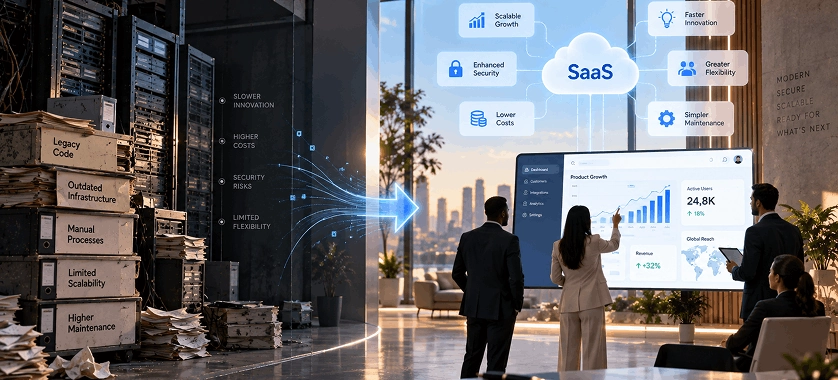
Legacy software modernization is the process of updating an existing application or system so it can better support current business, technical, and user requirements.
An older application may still perform its core function correctly while relying on outdated architecture, difficult-to-maintain code, limited integrations, or an interface that no longer matches user expectations.
Modernization can therefore involve different levels of change.
A business might improve selected components while keeping the existing system largely intact. Another organization might gradually replace parts of the architecture. In more complex situations, the existing application may need significant re-engineering or a complete rebuild.
The appropriate approach depends on the condition of the system, business priorities, technical constraints, and future product requirements.
Digital Graphiks' legacy software modernization services describe a similar assessment-led approach, including evaluating existing systems and business requirements before defining the modernization strategy.
Legacy Software vs. Modern Software
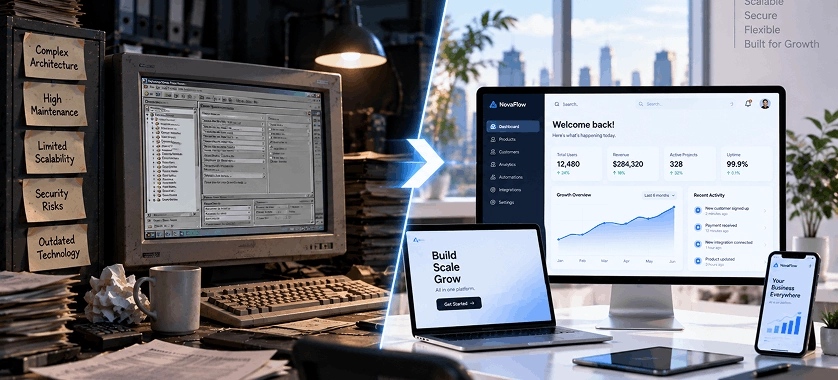
The difference between legacy and modern software is not simply the age of the technology.
A relatively old application can continue to work effectively, while a newer application can still have architectural or usability problems.
The more useful distinction is how well the software supports today's requirements.
Legacy systems commonly create challenges around:
- Scalability
- Maintenance
- System integrations
- User experience
- Performance
- Security
- Data accessibility
- Development speed
- Support for new business requirements
A modernized system should make it easier to evolve the product without creating unnecessary disruption every time the business needs a new feature.
Modernization vs. Complete Software Replacement
One of the first decisions a business needs to make is whether to modernize the existing application or replace it.
Modernization may be appropriate when the current application contains valuable business logic, reliable processes, useful data, or functionality that would be expensive to reproduce.
A replacement may make more sense when the existing architecture has become too restrictive or when the business requirements have changed so significantly that preserving the original system provides little benefit.
The decision should therefore begin with an assessment rather than a technology preference.
7 Signs Your Legacy Software Needs Modernization
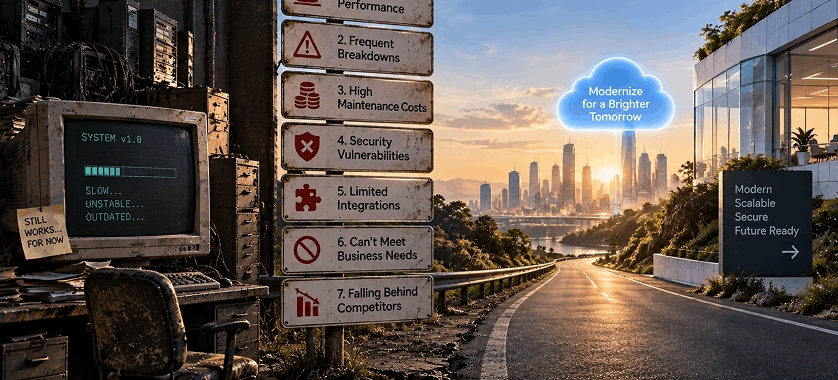
Not every older application needs immediate modernization. However, certain problems can indicate that the existing system is becoming a constraint on the business.
1. The Software Is Becoming Difficult to Maintain
If even relatively small changes require significant development effort, the underlying architecture may be limiting the product.
This can happen when code has accumulated over many years without a consistent architecture or when different components depend heavily on each other.
The result is often slower development and greater difficulty introducing new functionality.
2. Performance and Scalability Are Becoming Problems
An application that worked well with a smaller number of users may struggle as traffic, transactions, data, or integrations increase.
Performance problems can appear as slow page loads, delayed processing, inefficient database operations, or unstable behavior during periods of higher demand.
Modernization can provide an opportunity to identify architectural bottlenecks and redesign the parts of the system that are limiting growth.
3. The User Experience Feels Outdated
Technology problems are not always visible in the code.
Sometimes the biggest problem is the experience users have when interacting with the application.
Users may expect clearer navigation, responsive interfaces, simpler workflows, mobile accessibility, and faster interactions than the existing application provides.
A technical modernization project that ignores the user experience can therefore leave an important part of the problem unresolved.
This is where product strategy and interface design become important.
Before rebuilding screens, teams can map important user journeys, identify unnecessary steps, and determine which workflows need to change.
For complex products, wireframing and prototyping can help teams visualize these changes before development begins.
4. Integrating With Other Systems Is Difficult
Modern businesses rarely operate with a single isolated application.
A product may need to exchange information with payment platforms, CRMs, analytics systems, third-party APIs, cloud services, customer portals, or other internal applications.
When an older architecture makes these integrations difficult or unreliable, modernization can help create a more flexible technical foundation.
The objective is not to integrate everything possible. It is to create the right technical structure for the integrations the business actually needs.
5. The Software Cannot Easily Support New Business Requirements
A business may want to introduce new workflows, customer-facing features, reporting capabilities, subscription models, or automation.
If every new requirement requires major changes to unrelated parts of the application, the existing architecture may have become a bottleneck.
Modernization can separate tightly connected components and create a structure that allows future functionality to be introduced more predictably.
6. Mobile or Cross-Platform Access Is Limited
Users increasingly interact with business products from different devices.
If an existing application was designed around a desktop-only workflow, businesses may eventually need to rethink how customers, employees, or partners access it.
Depending on the product, the modernization strategy could include a responsive web experience, a progressive web application, or a dedicated mobile application.
For businesses that need a separate mobile experience, mobile app development can become part of the broader modernization strategy.
7. Adding Automation or AI Is Difficult
AI should not be added to a product simply because it is popular.
However, if a business has genuine opportunities for automation, intelligent search, content generation, customer support, data analysis, or workflow assistance, an outdated architecture can make those capabilities difficult to implement.
Modernization can create a cleaner foundation for future integrations while allowing the business to decide which AI capabilities actually provide value.
How to Assess a Legacy System Before Modernizing It
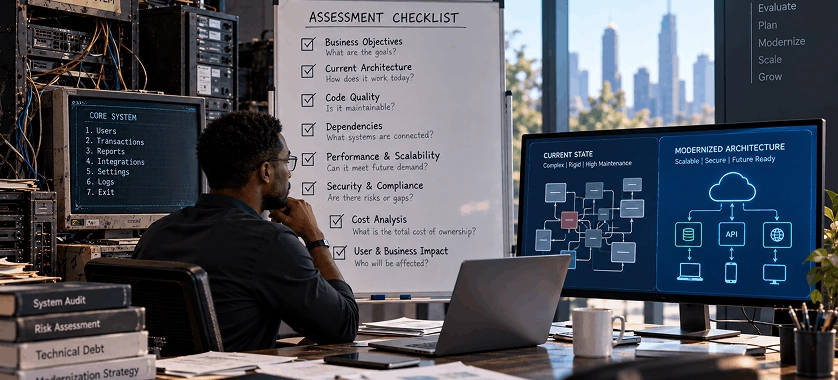
The modernization process should begin with understanding the system that already exists.
Jumping directly into development can result in valuable functionality being removed, important dependencies being overlooked, or technical decisions being made before the business requirements are clear.
A structured assessment should consider both the technology and the product itself.
Evaluate the Existing Architecture
Start by understanding how the application is structured.
Review the major components, databases, integrations, infrastructure, dependencies, and communication between different parts of the system.
The purpose is not simply to identify old technologies. The goal is to understand which parts of the architecture are creating limitations.
Review Business-Critical Features
Not every feature deserves the same treatment.
Some functionality may be central to the business and should be preserved. Other features may rarely be used or may exist because of requirements that are no longer relevant.
Classifying functionality into categories such as retain, improve, replace, or remove can make modernization planning more practical.
Analyze Existing User Workflows
Technical modernization and product modernization should work together.
Teams should understand how users currently complete important tasks and where they encounter friction.
This analysis can reveal opportunities to simplify workflows rather than simply reproducing the same experience in newer technology.
For larger product transformations, product design can help connect business requirements, user needs, product structure, and the resulting experience.
Identify Technical Dependencies
Older systems can contain dependencies that are not obvious from the user interface.
Before changing a major component, teams should understand what other applications, services, databases, or workflows depend on it.
This is especially important when the software handles business-critical operations.
Decide What Should Be Kept, Rebuilt, or Removed
Once the existing system has been assessed, create a clear modernization map. For example:
| Existing Component | Possible Direction |
|---|---|
| Valuable business logic | Retain or refactor |
| Outdated interface | Redesign |
| Difficult-to-maintain component | Re-engineer |
| Unused functionality | Remove |
| Outdated infrastructure | Migrate or replace |
| New business capability | Build separately |
This approach prevents modernization from becoming a simple technology replacement exercise.
Choosing the Right Modernization Strategy
There is no single modernization method that works for every legacy application.
The appropriate strategy depends on the current architecture, business requirements, technical risk, and desired future state.
Rehost
Rehosting generally involves moving an existing application to a new infrastructure environment with limited changes to the application itself.
This can be useful when infrastructure is the immediate concern and the application can continue operating without major architectural changes.
Refactor
Refactoring involves improving the internal structure of existing code without necessarily changing its core behavior.
This can make parts of an application easier to maintain and evolve while preserving existing functionality.
Replatform
Replatforming involves moving an application to a different platform or infrastructure with some modifications.
The objective is to gain advantages from a newer environment without completely redesigning the application.
Re-architect
Re-architecting involves making more substantial changes to the underlying architecture.
This can be appropriate when the current architecture prevents the application from meeting important requirements around scalability, integrations, maintainability, or future development.
Rebuild
In some situations, rebuilding is the most practical option.
A rebuild creates an opportunity to rethink architecture, workflows, user experience, and functionality rather than carrying forward limitations from the existing system.
However, rebuilding should not automatically be treated as the best approach. If valuable business logic already exists, replacing everything can introduce unnecessary cost and risk.
The better question is:
What parts of the existing product still provide value, and what needs to change to support the future product?
Turning a Legacy Application Into a Modern SaaS Product
For businesses moving from an internal or traditional application toward a SaaS model, modernization involves more than changing the technology stack.
The product itself may need to be reconsidered.
A SaaS product typically requires clear user journeys, intuitive interfaces, scalable infrastructure, account and access management, and an experience that works consistently for its intended users.
This makes product planning an important part of the modernization process.
Define the New Product Requirements
Start by identifying what the modern product needs to accomplish.
Questions may include:
- Who are the primary users?
- Which problems should the product solve?
- Which existing features remain essential?
- What new capabilities are required?
- Which workflows should be simplified?
- What integrations are necessary?
- What should the first release contain?
Clear requirements help prevent teams from rebuilding every existing feature without questioning whether each one is still useful.
Redesign User Journeys
A legacy application often reflects how a business operated when the software was originally created.
Those workflows may no longer be the most efficient way for users to accomplish their goals.
Modernization provides an opportunity to examine each important journey and remove unnecessary steps.
Instead of asking, “How do we reproduce this old screen?” teams should ask:
“What is the user trying to accomplish, and what is the simplest way to help them accomplish it?”
Create Wireframes Before Development
Once the important workflows are defined, wireframes can help translate them into a practical interface structure.
Wireframes allow teams to consider navigation, screen hierarchy, content placement, and interaction flow before significant development work begins.
Prototypes can then be used to explore how users move through the product.
This can reduce the risk of discovering major usability problems only after development is already underway.
Design a Scalable SaaS Experience
If the modernization project is turning an existing product into a SaaS platform, the design needs to account for the way users will interact with the product over time.
That includes areas such as:
- Onboarding
- Navigation
- Account management
- Permissions
- Dashboards
- Subscription-related workflows
- Notifications
- Settings
- Support experiences
A dedicated SaaS product design approach can help teams think about these experiences as part of one connected product rather than a collection of individual screens.
Choosing the Right Technology for a Modernized Product
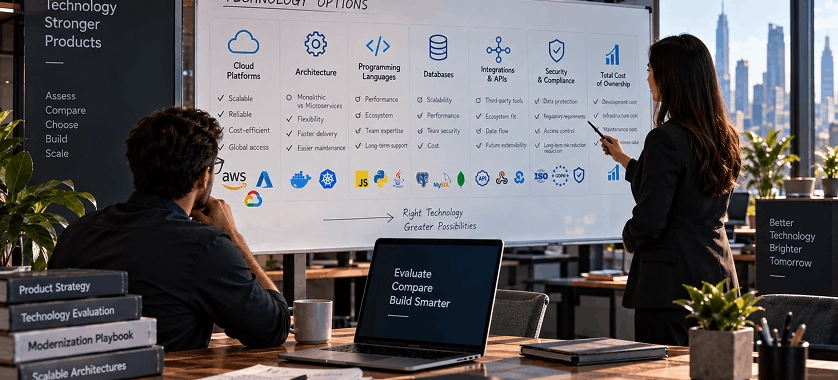
Technology selection should come after the business and product requirements have been established. Choosing a framework simply because it is popular can create new limitations instead of solving the existing ones.
The right technology depends on factors such as application requirements, existing infrastructure, team capabilities, integrations, scalability needs, and the type of experience the product needs to provide.
When PHP Can Make Sense
PHP remains a practical option for many web applications and business platforms, particularly when the existing application already relies on PHP or when the project requires a mature web development ecosystem.
During modernization, teams do not necessarily need to abandon an existing language simply because the system is considered legacy.
Instead, they can evaluate whether the current technology can support the required architecture and future functionality.
When PHP is appropriate for the project, PHP development can be incorporated into the modernization strategy rather than treating modernization as an automatic technology replacement.
When Vue.js Can Improve the Front End
Modernizing the back end while leaving users with an outdated interface may not deliver the expected product improvement.
For applications that require a more interactive and responsive interface, a modern front-end framework can be considered.
Vue.js can be useful for applications that need dynamic interfaces, reusable components, and responsive user interactions.
For projects where it fits the requirements, Vue.js development can form part of the front-end modernization strategy.
Web Application or Mobile Application?
The answer depends on how users interact with the product.
A responsive web application may be sufficient when users primarily need browser-based access across desktops, tablets, and smartphones.
A dedicated mobile application may make more sense when the product depends heavily on mobile-specific functionality, frequent mobile usage, device capabilities, or a dedicated mobile experience.
The decision should come from user requirements rather than simply assuming that every modern product needs a mobile app.
For browser-based products, broader web development capabilities may be enough to support the modernization project.
Adding AI to a Modernized Legacy Product
Modernization can also create an opportunity to introduce AI, but AI should be treated as a business capability rather than a technology checkbox.
A useful starting point is to identify repetitive, information-heavy, or decision-support tasks where AI could provide meaningful value.
Potential applications include:
- Customer support assistance
- Internal knowledge search
- Document processing
- Content generation
- Workflow assistance
- Data analysis
- Intelligent recommendations
- Employee productivity tools
The important question is not:
“Where can we add AI?”
It is:
“Which user or business problem could AI solve better than the current process?”
Where AI Can Add Real Value
Suppose an older business application contains a large amount of documentation, customer information, or operational data.
Instead of forcing employees to search through multiple screens or documents manually, a properly designed AI feature could help users find relevant information more efficiently.
Similarly, repetitive workflows may benefit from AI-assisted classification, summarization, drafting, or decision support.
However, the underlying application still needs appropriate data access, permissions, validation, and integration mechanisms.
Why AI Should Not Be Added Just Because It Is Popular
An AI feature that does not solve a real problem can make a product more complicated without improving its usefulness.
There can also be additional considerations around data quality, privacy, reliability, cost, user expectations, and human oversight.
For that reason, AI opportunities should be prioritized based on measurable product or business value.
Designing Reliable AI Workflows
AI output depends heavily on how the task is defined and how the system provides context to the model.
Prompt engineering can help structure instructions, context, expected outputs, constraints, and interaction patterns for AI-powered features.
For applications where AI is becoming part of a larger workflow, prompt engineering can therefore become one component of the overall product design and integration process.
The objective should be consistent and useful AI behavior—not simply creating increasingly complicated prompts.
When Does Claude Integration Make Sense?
Claude can be considered when a modernized application requires capabilities based on large language models.
Potential use cases may include:
- AI assistants
- Document analysis
- Customer support
- Knowledge retrieval
- Content generation
- Workflow automation
- Internal productivity tools
The actual use case should determine whether Claude is appropriate rather than selecting it first and searching for a problem afterward.
Claude for Customer-Facing Features
A modern SaaS application could potentially use an AI assistant to help customers navigate information, understand product content, or complete certain tasks.
However, customer-facing AI needs clear boundaries.
Users should understand what the assistant can do, what information it has access to, and when human assistance is required.
Claude for Internal Workflows
AI can also be useful behind the scenes.
For example, employees may use an AI-powered workflow to summarize documents, extract relevant information, draft responses, or interact with internal knowledge.
These use cases can sometimes provide value without changing the entire customer-facing experience.
Connecting Claude With an Existing Application
AI integration should be designed as part of the application's architecture.
The system needs to determine what information can be sent to the model, how responses are handled, what permissions apply, and how the output is presented to users.
For projects where Claude is appropriate, Claude integration can be considered as part of the broader modernization architecture.
A Practical Legacy-to-Modernization Roadmap
Once the business has identified why modernization is needed, the project can be organized into clear stages.
Step 1: Audit the Existing System
Document the current architecture, dependencies, integrations, databases, infrastructure, major features, and known technical problems.
The objective is to understand the starting point before deciding what to change.
Step 2: Define Business and User Requirements
Identify what the modernized product needs to accomplish.
Talk to stakeholders and, where possible, users to understand important workflows and pain points.
Separate business requirements from assumptions about technology.
Step 3: Prioritize Features
Divide existing and proposed functionality into priorities.
Some features may be essential for the first release, while others can be postponed.
This prevents the modernization project from becoming an attempt to rebuild every historical feature simultaneously.
Step 4: Redesign Important User Flows
Map the most important journeys users need to complete.
Look for unnecessary steps, confusing navigation, duplicate actions, and areas where the current workflow does not match user expectations.
Step 5: Create Wireframes and Prototypes
Turn the revised workflows into wireframes and interactive prototypes.
This gives stakeholders an opportunity to review the proposed experience before substantial development begins.
It also creates a clearer bridge between product requirements and implementation.
Step 6: Select the Technical Architecture
Only after understanding the product requirements should the team determine the appropriate architecture, frameworks, infrastructure, databases, integrations, and development approach.
The technology should support the product strategy rather than dictate it.
Step 7: Modernize in Manageable Phases
Large legacy applications are often difficult to transform safely in one step.
A phased approach can allow teams to prioritize critical components, test changes, collect feedback, and gradually move functionality toward the new architecture.
The exact implementation strategy will depend on the existing system and the level of modernization required.
Step 8: Test and Validate
Testing should cover more than whether individual features work.
Teams should validate:
- Existing business logic
- New functionality
- Integrations
- Performance
- User workflows
- Data migration
- Security requirements
- Compatibility
Where the system is business-critical, testing should be planned throughout the modernization process rather than left until the final release.
Step 9: Launch, Monitor, and Improve
Modernization does not end when the new version goes live.
After launch, teams should monitor system performance, user behavior, errors, support requests, and business outcomes.
This information can guide future product improvements.
Common Legacy Modernization Mistakes to Avoid
Rebuilding Everything Without an Assessment
Starting from zero may appear simpler, but it can result in valuable business logic being lost or unnecessary functionality being recreated.
First understand what already exists.
Ignoring Existing Business Logic
Legacy applications often contain years of accumulated business rules.
Some of these rules may not be documented clearly but may still be important to how the organization operates.
Teams should identify critical business logic before replacing major components.
Starting Development Before UX Planning
If users struggle with the existing workflow, rebuilding the same screens with newer technology does not solve the fundamental problem.
Product requirements and user journeys should be addressed before development becomes too far advanced.
Choosing Technology Before Defining Requirements
A framework should not become the strategy.
The correct order is generally:
Business requirements → user needs → product design → technical architecture → implementation.
This helps ensure that technology decisions support the actual product.
Adding AI Without a Clear Use Case
AI can be valuable, but not every workflow needs it.
Before introducing an AI feature, define the problem, expected outcome, data requirements, risks, and how success will be evaluated.
Migrating Without Proper Testing
Moving data or functionality from an older environment to a new one can introduce unexpected problems.
Testing should include both technical behavior and real business workflows.
Treating Launch as the End of Modernization
A modern product still needs maintenance, monitoring, security updates, performance improvements, and product iteration.
Modernization should create a foundation for continuous improvement rather than a one-time technology project.
How to Decide Whether Your Business Should Modernize or Rebuild
There is no universal answer to whether an organization should modernize an existing system or rebuild it.
A useful starting point is to compare the value of the existing system with the limitations it creates.
| Situation | Potential Direction |
|---|---|
| Core business logic remains valuable | Modernize or refactor |
| Existing functionality works but the interface is outdated | Modernize + redesign |
| Architecture limits scalability or integrations | Re-architect |
| Only infrastructure is outdated | Rehost or replatform |
| Business requirements have changed substantially | Consider rebuilding |
| Existing system has little reusable value | Rebuild may be more practical |
This should be treated as a decision framework rather than a rigid rule.
The final approach should depend on the application's architecture, business importance, technical condition, available resources, and future requirements.
Final Takeaway
Modernizing a legacy software product is not simply about replacing old technology.
The strongest modernization strategies begin by understanding what the existing system does well, where it creates problems, and what the business and its users need from the future product.
From there, organizations can decide whether to refactor, replatform, re-architect, or rebuild specific parts of the system.
For products moving toward SaaS, modernization should also consider user journeys, product design, wireframing, scalable development, and the overall customer experience.
AI can become another part of that transformation when it addresses a genuine business or user need. Technologies such as prompt engineering and Claude integration may support specific AI-powered workflows, but they should remain connected to a clear product objective.
Ultimately, successful modernization is about creating a software product that is easier to evolve, better aligned with users, and capable of supporting the business's future requirements without unnecessarily discarding the value already contained in the existing system.


 What is legacy software modernization?